Get started
Prompt-based experimentation (PBX) is a fast and intuitive way to create experiments using natural language prompts and generative AI. Instead of coding or relying on a visual editor, you simply describe the change you want to make, and the AI generates a measurable, targeted experiment that you can simulate and run directly on your website. For more information on creating PBX experiments, see Create a prompt-based experiment. For help getting started with effective prompts, see How to write effective prompts (dos and don'ts).
Kameleoon offers a free trial of prompt-based experimentation, so you can explore its capabilities before committing. For more information on available PBX plans, see Prompt-based experimentation plans.
What is Prompt-Based Experimentation?
Prompt-based experimentation is a form of vibe experimentation, a new way of creating, configuring, and analyzing experiments using natural language prompts and generative AI.
Instead of relying on a visual editor or writing code, you simply describe what you want to test and define your success criteria. The AI then generates a fully configured experiment that is both targeted and measurable.
Prompt-based experimentation combines the flexibility of a visual editor with the creative power of generative AI. It can handle advanced layout changes, generate new elements, and apply brand-oriented designs—often going beyond the capabilities of traditional visual editors. Best of all, it works directly on your existing website, so you can optimize and iterate without building new products from scratch.
For more information about how PBX works, including its LLMs and how to get the best results, see the PBX FAQ.
Examples of what you can create
With prompt-based experimentation, you can:
- Add dynamic “Add to cart” buttons on product pages, aligned with your brand’s identity.
- Implement sticky headers or call-to-action bars consistent with your site’s design.
- Introduce persistent, personalized pop-ups and tooltips triggered by user behavior.
- Add infinite scroll to your website’s category pages.
- Generate quizzes, forms, pop-ups, banners, and surveys that accelerate the customer journey and increase user engagement.
Generate test ideas with PBX Ideate
Kameleoon’s PBX Ideate analyzes your website to identify friction points and automatically generates optimization hypotheses. Developed in partnership with Conversion, a leading experimentation agency, this feature uses the Lever Framework to diagnose issues in five key areas:
- Comprehension: Evaluates how clearly users understand your offer.
- Motivation: Identifies what drives users to take action.
- Trust: Assesses the credibility and legitimacy of your site.
- Cost: Measures the perceived time, effort, and financial cost.
- Usability: Evaluates how easily users can navigate and interact with your site.
PBX Ideate transforms these observations into actionable test ideas with predicted impact scores. You can review these suggestions and launch experiments directly in the PBX editor.
To learn more about the logic behind these suggestions, see What powers PBX Ideate?. To learn how to scan pages and review ideas, see Generate test ideas.
Benefits of prompt-based experimentation
- Speed: Build experiments in minutes instead of hours.
- Accessibility: Non-technical users can create meaningful tests without coding.
- Scalability: Teams can run more experiments and increase their testing velocity, without scaling dev resources linearly.
- Quality: Prompt-based experimentation automatically generates code that is secure, responsive, and accessible.
- Increased throughput and learnings: More tests = more learnings. A faster feedback loop accelerates insights.
For more information on the value added by PBX, see this FAQ entry.
Before and after with PBX
| Dimension | Before PBX | After PBX |
|---|---|---|
| Setup time | Days/weeks of work | Hours with PBX templates |
| Experiments per quarter | 2-3 | 5-10x more with the same resources |
| Stakeholders | Technical teams | Product, marketing, and design teams |
| Quality and consistency | Risk of errors | Standardized, validated implementations |
| Team focus | Dev-heavy workload | More time for ideation and analysis |
| Experimentation culture | Limited to a few teams | Organization-wide adoption |
Prerequisites
Before creating a prompt-based experiment, make sure you meet the following requirements:
- Use a Chromium-based browser.
- The Kameleoon PBX extension is only available on browsers that support the Chrome Web Store (for example, Chrome, Arc, Brave, Edge).
- Install the Kameleoon PBX extension.
- Go to the Chrome Web Store and install the Kameleoon PBX extension.
- Once installed, you’ll be able to start creating prompt-based experiments directly in your browser.
- Install the Kameleoon script on your website.
- Implement the Kameleoon script on the site where you want to simulate or run your prompt-based experiment. Without the script, Kameleoon cannot execute or track experiments.
- Check your Content Security Policy (CSP).
- If your website restricts the loading of resources (scripts, images, media, CSS) via the standard CSP HTTP header, you must update your site's CSP to allow Kameleoon resources to load. Otherwise, PBX won't load on your website. If you need to update your CSP, Kameleoon notifies you with a warning pop-up.
- Learn more about updating CSP for Kameleoon
- Allow third-party cookies.
- PBX uses a session cookie hosted on the Kameleoon domain for authentication. Ensure that you disable the Block third-party cookies option in your browser settings. If the PBX editor repeatedly prompts you to log in when loading on your website, verify that your browser allows third-party cookies.
For more information on PBX limitations and compatible sites, see the PBX FAQ.
What the extension enables you to do
The Kameleoon PBX extension provides the necessary context for Kameleoon to understand your page's content, structure, and design, which allows the AI engine to generate variations autonomously while accounting for the page's specific context.
With the extension installed, you can use the Kameleoon PBX editor directly on any page of your website to build variants with AI.
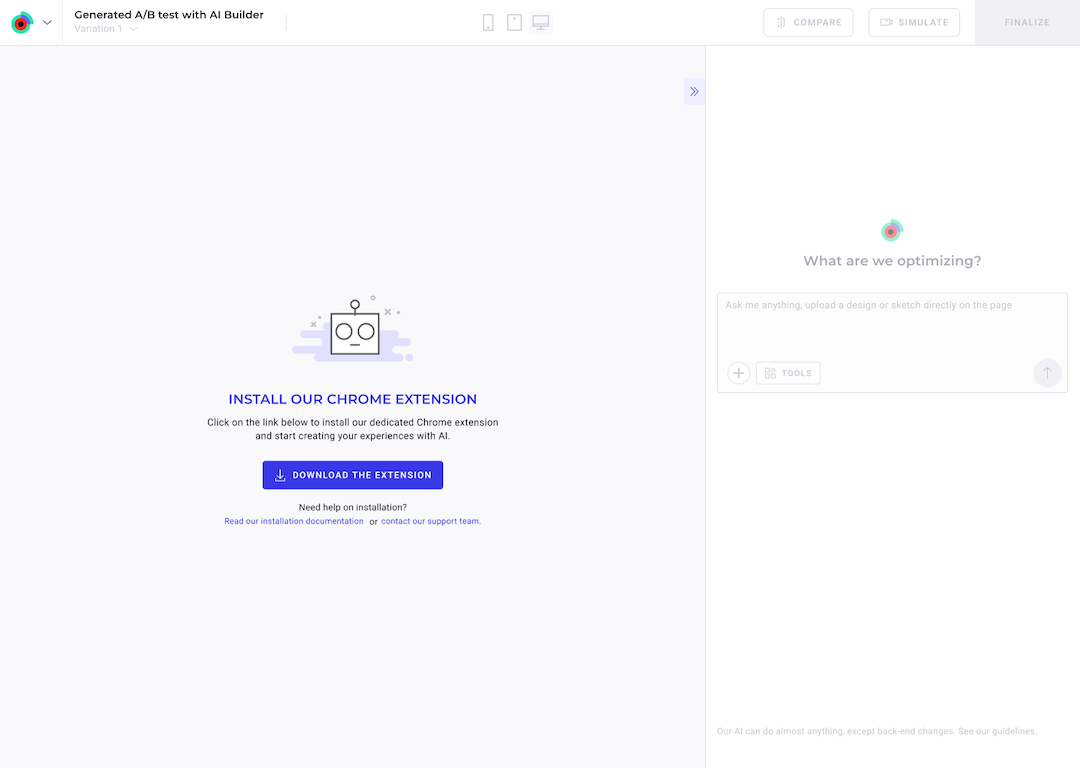
If you use a compatible browser without the extension, Kameleoon prompts you to download it.
Data privacy and security
The extension does not collect or transmit personal or sensitive data from your website's visitors. When you build an experiment in the PBX editor, the extension captures and transmits all content visible on the page—including HTML structure, text, and screenshots—to the AI model. This data provides the necessary context for your prompt. While this ensures that Kameleoon sends no end-user data to the AI model, the model processes any information visible to you during the creation process.
For more information, see How PBX protects personal or sensitive data.