Rollout Planner structure
The Rollout Planner consists of several blocks.
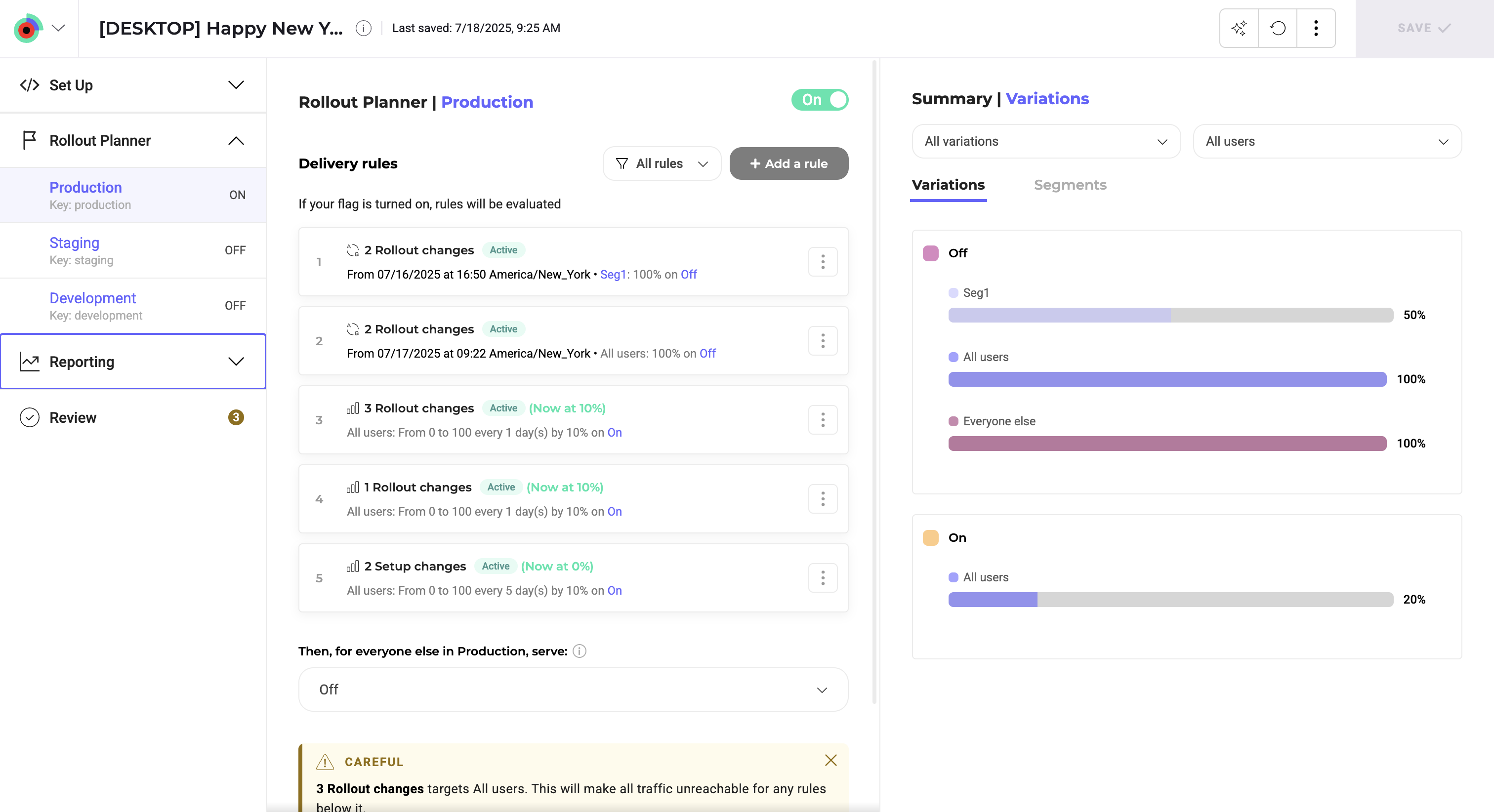
- A header in the top left indicating the flag's name, associated site code, and feature key.
- A Setup menu to create and manage your feature variables and feature variations.
- A Rollout Planner specific to each of your environments. Changes made to a feature flag are specific to the environment you select in this section.
- A reporting section which lists the results pages for your created experiments.
- A toggle that turns your feature flag on or off.
- A Delivery rules section, where you add your rollout rules.
- A rollout summary that summarizes the variations you're deploying through your rollout rules and the segments that are being targeted.