Enable AI Targeting on a goal
AI Targeting is an add-on available in both Web Experimentation and Feature Experimentation. Contact your Customer Success Manager for details.
Enabling AI Targeting on a goal tells Kameleoon to train a machine learning model that calculates each visitor's likelihood of converting for that goal. Once training completes, you can use the Likelihood to convert condition in segments to target visitors by predicted conversion probability.
Enable AI Targeting on an existing goal
- Click Settings > Goals.
- Find the goal you want to update and click Edit.
- Click Advanced settings.
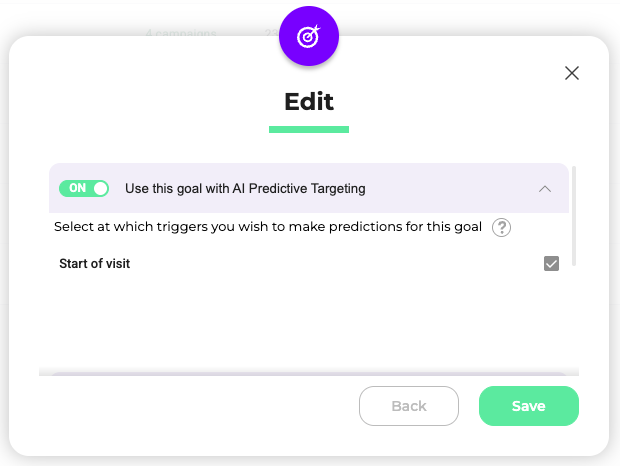
- Toggle Use this goal with AI Predictive Targeting to On.
- Select the trigger at which AI Targeting will make probability predictions.
- Click Save.
Enable AI Targeting when creating a new goal
- Click Settings > Goals.
- Click New goal.
- Enter the required goal details and click Next.
- Click Advanced settings.
- Toggle Use this goal with AI Predictive Targeting to On.
- Click Save.
Learning phase
After you enable AI Targeting, Kameleoon begins a learning phase before predictions are available. The model requires:
- 7 days of data
- 100,000 visits
Both conditions must be met. For example, if your site receives 100,000 visits in a single day, the model still needs a full week of data. If your site receives 50,000 visits per week, training takes two weeks.
Once training completes, the model activates on day 7 (D+7) and predictions become available on day 8 (D+8), after one day of prediction data has accumulated.
The goal's conversion rate and traffic volume within your triggers affect model quality. Aim for a reasonable audience size and a meaningful conversion rate to get the best predictions.
AI model status badges
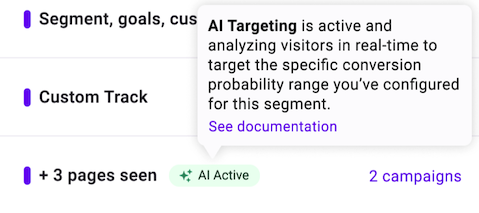
Goals with AI Targeting enabled display a status badge on the Goals dashboard.
| Badge | Color | Meaning |
|---|---|---|
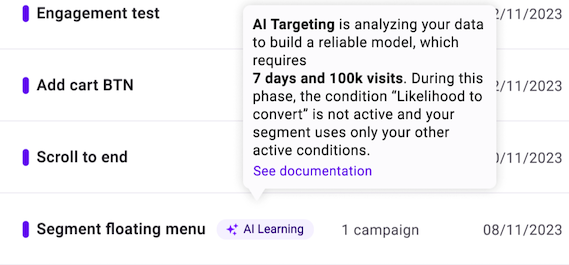
| AI Learning | Blue | The model is collecting data and has not yet met the 7-day and 100,000-visit thresholds. |
| AI Active | Green | Predictions are available, and the model evaluates visitors in real time. |
| AI Alert | Orange | Training is taking longer than expected, typically due to low traffic. |
Hover over an AI Learning badge to see a tooltip showing the estimated time and visitors required for AI targeting to activate.
Next step
After the model reaches AI Active status, create a segment using the Likelihood to convert condition to target visitors by their predicted conversion probability.